How to Prepare Artwork for Large Format Printing
· Shakeel Syed
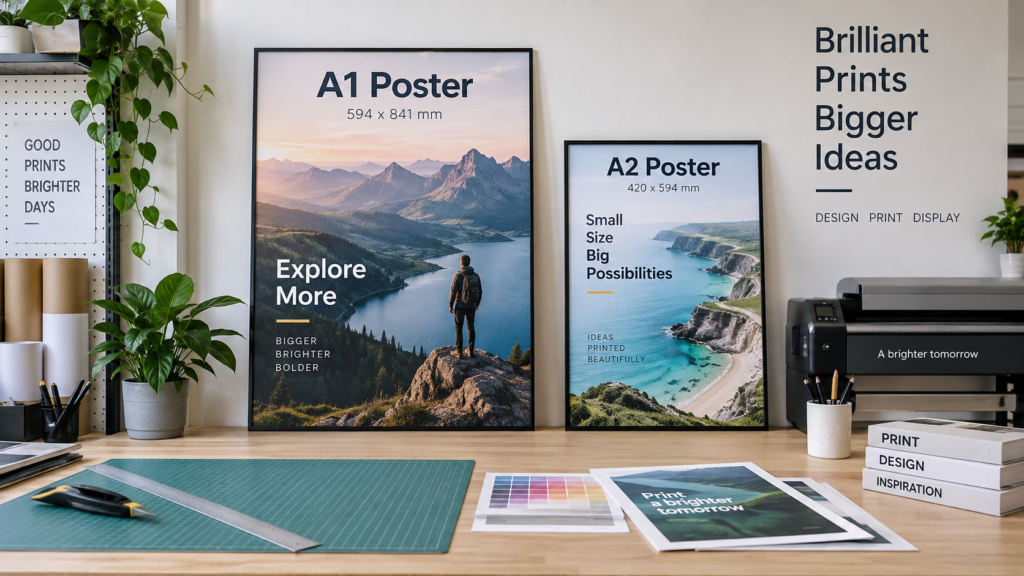
Good artwork is the difference between a sharp professional print and a file that needs fixing before production. This guide covers size, resolution, colour, bleed, fonts and file formats.
A print-ready PDF is usually the safest format because it can preserve vectors, text, images and colour information in one file.
Set the correct finished size
Where practical, build the document at final print size. For very large graphics, scaled artwork can be acceptable if the effective resolution remains appropriate. Always keep the same aspect ratio as the final print.
Use vector logos where possible
PDF, EPS and SVG artwork is ideal for logos and line graphics because vectors can be enlarged without pixelation. JPEG and PNG files are raster images and depend on having enough resolution.
Use appropriate resolution
Small posters are commonly prepared at higher resolution because they are viewed closely. Very large banners are usually viewed from further away, so the required effective resolution can be lower. The right value depends on finished size and viewing distance.
CMYK vs RGB
Screens use RGB light, while most commercial printing uses CMYK inks. Bright RGB colours may shift when converted for print. Preparing artwork in CMYK gives you a more realistic expectation of the printed result.
Bleed and safe area
Bleed extends backgrounds beyond the cut line so minor trimming tolerances do not create white edges. Keep important text and logos safely inside the finished edge.
Useful products to design for
A0 Posters → Vinyl Banners → Roller Banners →
Frequently asked questions
Can I send a JPEG?
Yes, if it is high enough resolution for the final print size. A small image downloaded from social media or a website often will not be suitable for large-format output.
Is PNG better than JPEG?
PNG can preserve transparency and avoids JPEG compression artefacts, but either can work if the resolution is sufficient. For logos, vector artwork is better than both.
Should I convert fonts to outlines?
Outlining important fonts can prevent substitution problems, especially if the printer does not have the same typeface installed. A correctly exported PDF with embedded fonts can also work well.
How much bleed do I need?
The required bleed depends on the product and finishing process. Check the artwork specification for the item you are ordering rather than assuming one value suits everything.
Why do colours look different in print?
Monitors produce colour with light, while printed output uses inks. Screen brightness, monitor calibration, paper or media type and CMYK conversion can all affect the final appearance.
Can you enlarge a low-resolution logo?
A raster logo can only be enlarged so far before it becomes pixelated. If possible, obtain the original vector file or have the logo professionally recreated as vector artwork.
What is the safest file format?
A properly exported PDF is generally the safest because it can contain vectors, fonts and raster images while preserving the page size.
Do I need crop marks?
Not always. Some production workflows prefer a clean PDF with bleed but no printer marks. Follow the specific product artwork guidance.
What if I am unsure whether my file is print ready?
Check our artwork guide and contact Printing Central before production if you have concerns about size, resolution or bleed.
More artwork help
Visit our Print Artwork Guide, or compare poster sizes in our A1 vs A2 guide.
Artwork setup by product
Different products have different practical design needs. Use these pages alongside the artwork guidance above.
Mesh Banner Artwork →
Roller Banner Artwork →
Custom Poster Artwork →
Sticker Artwork →
Business Card Artwork →
Need help before ordering? See contact details and delivery information.
Prepare your file, then choose your product
Once your artwork is ready, select the product and size that matches your finished design.
Leave a Reply